
Goliad VINE Custody Checks
The Goliad County sheriff page expressly directs the public to VINELink for offender custody status. That local endorsement makes Texas VINE the strongest identified online route for a one-person Goliad custody check because the county does not publish a verified recent-release feed.
VINE stands for Victim Information and Notification Everyday. It gathers custody events from participating agencies and can send notices through channels shown by the service. Participation, event fields, and searchable history can differ by source. Goliad’s link does not promise that every booking, transfer, or old release will remain available.
A reported “released” or “out of custody” event means the participating agency reported a custody change. It does not establish that charges were dismissed, a sentence ended, or no other agency took custody. Keep the reporting agency attached to the result and confirm the release type through the Goliad jail record.
Search a Goliad Inmate on VINE
Search one person at a time. Use verified identifiers and save the source details before relying on the event.
- Open the Texas route. Use the official Texas VINE page and select Texas if the interface asks again.
- Choose offender search. Select the inmate or offender search option shown on the live page.
- Enter the legal name. Start with full first and last name. Try a verified spelling variant only when needed.
- Use an identifier. Enter an offender or booking ID when the interface offers that field and the number is known.
- Narrow by source. Choose a participating agency or facility when a filter appears. Do not assume every same-name record belongs to Goliad.
- Compare the record. Check the displayed identifiers, agency, custody wording, and event date before opening the result.
- Save exact details. Record the status wording, agency, event time, and retrieval time without rewriting “transfer” as “release.”
If two people share a name, compare middle name, date of birth, booking number, physical details, and case information from official records. Leave the identity unconfirmed when those facts cannot be reconciled.
Goliad VINE Result Fields
VINE fields depend on the participating agency, so the live record controls. The inventory below describes fields documented by the research without promising that every Goliad event displays all of them.
| Field | What it can show | How to use it |
|---|---|---|
| Name | Reported legal or booking name | Compare spelling and middle name |
| Offender or booking ID | Source identifier when available | Use to separate same-name people |
| Agency or facility | Custodian or reporting source | Identify which system the event covers |
| Custody status | Current wording supplied by the source | Quote it exactly |
| Event type | Release, transfer, or another reported change | Do not merge distinct events |
| Event date or time | Reported timing when supplied | Compare with the jail’s actual release log |
| Notification action | Registration options on an eligible record | Use only for the correct person and episode |
A field can be absent because the source does not provide it. Do not fill a blank from an unrelated site. The sheriff’s booking and release record remains the best source for the actual local date, time, type, releasing authority, and destination.
Goliad VINE Search Screen
The manifest includes a successful capture from the Texas VINE selection and search route. It illustrates the interface used to begin a specific-person check. Live labels can change, so follow the wording displayed during the search.
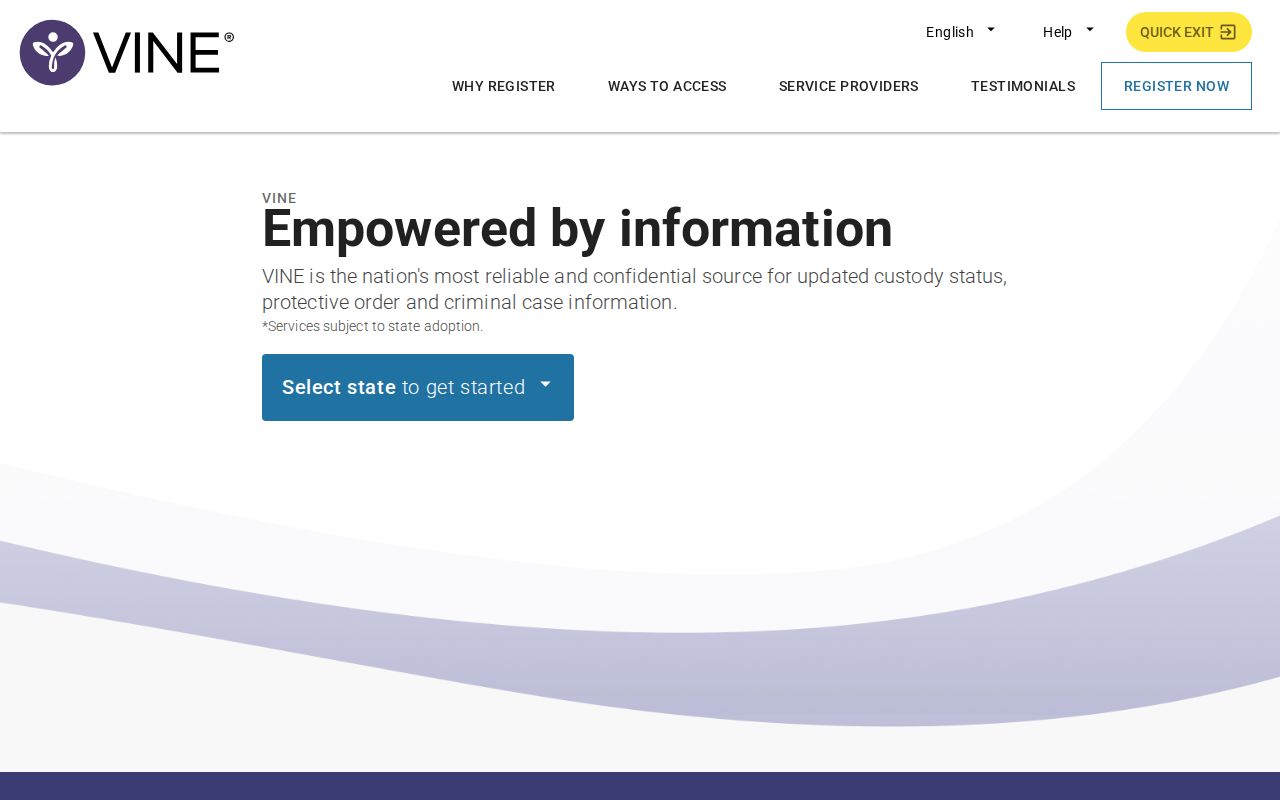
The screen supports the search and registration workflow, but it does not make the resulting alert a certified Goliad County release record.
Register Goliad Release Notifications
Registration begins from the correct person’s VINE record. Check identity and agency first. Notification choices depend on what the current interface and source event offer.
- Open the matched record. Recheck name, identifier, agency, and custody episode.
- Select notifications. Choose “Register for Notifications” or the equivalent action shown.
- Choose a channel. Select phone, text, email, or in-app notification if offered.
- Enter the destination. Supply the phone number or email address that should receive the alert.
- Create a four-digit PIN. Use a memorable but non-obvious number. Do not publish it or put it in a screenshot.
- Confirm the registration. Complete the save or confirmation step and retain the registration details.
- Manage later changes. Keep the PIN because it is used to acknowledge phone alerts and modify notifications.
If VINE already reports the person released, registration may no longer be available for that custody episode. Search results and alert options do not create a new county record or preserve an old event indefinitely.
Verify a Goliad VINE Alert
Save the alert’s exact wording, date, time, agency, and any identifier. Then call the agency that supplied it. For a Goliad County Jail event, call 361-645-8259 and ask whether the person is physically held, when the departure occurred, and whether it was community release or transfer.
Follow with a written Public Information Act request when the precise record matters. Ask for the booking and release sheet, actual release date and time, disposition code and legend, releasing authority, detainer status if releasable, and the destination or receiving agency. Request the signed court disposition from the Goliad County and District Clerk separately.
A VINE event and court docket can describe different facts. A release on bond may coexist with a future hearing because the case continues. A time-served judgment can precede the jail’s administrative release while staff clear papers or another hold. Keep the court result and physical release time separate.
No Goliad Result Is Inconclusive
A no-result does not prove release. Misspelling, source lag, nonparticipation, transfer, a past event falling outside searchable history, or a mismatch can all produce no record. Try a verified identifier and confirm the reporting agency before drawing a conclusion.
Call Goliad County Jail next. Ask staff to distinguish physical release from transfer. If staff identify a receiving agency, follow that authority. A TDCJ transfer goes to the state system. A federal writ or pickup may require BOP, USMS, or the federal docket. An immigration detainer may lead to ICE custody.
Never infer that a vanished current-roster entry means community release. Current lists are designed to remove people who are no longer in that facility, including those moved to another jail or sovereign. The records request and signed court file provide the durable evidence that an online status tool may not retain.
Goliad Jail Versus TDCJ VINE
Custody coverage must stay explicit. A person who only spent time in Goliad County Jail may never enter TDCJ. Bond, dismissal, a misdemeanor jail term, time served, or local probation can end the local episode without state-prison custody.
If a Goliad judgment sends the person to TDCJ, use the official TDCJ inmate search before release. It includes only people currently incarcerated in a TDCJ facility and updates on working days with information at least 24 hours old. A result may show location, offenses, projected release date, and parole-review information.
When the person disappears from that search, do not label the absence “released.” Ask TDCJ through its email or telephone channels and, after a favorable parole vote, contact Review and Release Processing at 512-406-5202. If community supervision applies, the release certificate may direct the person to the Victoria District Parole Office.
VINE can complement these checks when a participating source reports an event. It does not calculate a sentence or replace TDCJ’s classification record. The Goliad release date lookup explains how a projected date differs from actual departure and discharge.
Federal Goliad Custody Limits
Texas VINE is not a universal federal locator. If the Goliad jail says a person transferred into federal custody, identify the responsible system. The Federal Bureau of Prisons locator covers sentenced BOP custody and can display a release date. “Released” there means no longer in BOP custody, not necessarily free of supervision or custody elsewhere.
USMS handles federal pretrial, transport, and court-ordered custody and often uses state, local, or private beds. It has no equivalent public name locator. Check the federal docket, housing facility, district office, or records process. ICE has its own detainee locator for current custody and some recent releases, with coverage limits.
A transfer from Goliad County Jail to ICE, USMS, BOP, another county, or TDCJ is continued custody. Preserve the Goliad release or transfer record and then document the receiving agency’s status. Report both events instead of using the broad word “released.”
Goliad Sheriff Endorses VINE
Goliad’s official sheriff page links VINELink for custody-status checks. This is a distinctive local layer because the inspected county channels do not expose a verified 24-hour or 72-hour recent-release feed. VINE supplies a way to follow one person without pretending that it is a complete local archive.
The sheriff link also sets the correct evidence order. Use VINE for the notification lead, the sheriff log for actual release or transfer, and the signed court record for the legal disposition. When the sources conflict, prefer the record closest to the event and note each retrieval time.
For example, VINE may still say in custody after the jail confirms transfer. Compare the facility and reporting agency rather than calling one result false. If VINE reports release while a court setting remains scheduled, the custody change and pending case may both be accurate.
Manage Goliad VINE Alerts Safely
Keep the four-digit PIN private. It confirms receipt of a phone notification and is needed for changes. Store the registration details where the intended recipient can find them, but do not place the PIN in a public note, screenshot, message thread, or shared record.
VINE notifications do not replace emergency safety planning, a protective order, or direct notice from a court or agency. A delayed alert is possible. When timing is urgent, contact the reporting facility through its official line and use emergency services only for an actual emergency.
Record the date and source every time status is checked. If the wording changes, retain both observations. This creates a clear timeline and avoids turning an old screenshot into a claim about current custody.
Complete a Goliad Release Check
A sound Goliad VINE inmate check ends with agency records. Preserve the VINE event as reported. Obtain the sheriff’s release or transfer log, then match it to the clerk’s signed judgment, bond order, dismissal, sentence, or community-supervision order.
Follow a named transfer into the correct system. Use TDCJ for state-prison custody, BOP for sentenced federal custody, ICE for immigration detention, and the federal docket or USMS route for federal pretrial custody. Each database answers only its own part of the question.
The Goliad County released-inmate search and records guide covers the full evidence chain when a VINE result is missing, delayed, or unclear. Keep identity, custody episode, source wording, event time, retrieval time, and destination together so a notification never gets mistaken for a final case record.
Public Record Search
Sponsored Results